
Public agencies, universities, school districts and many large companies ask for a VPAT before they buy software. A missing or weak VPAT can stop a deal at the procurement stage, long before anyone looks at the product itself. A credible one shows buyers exactly where the product meets each requirement, where it falls short and what the vendor plans to fix.
A VPAT is not a certification or a pass mark: it is a self-reported, criterion-by-criterion account of accessibility, and its value depends entirely on the quality of the testing and the honesty of the remarks behind it.
This article explains what a VPAT is, which edition to use, how to prepare a credible one step by step and what it costs, using a real accessibility program for a large US education platform. It does not cover physical hardware accessibility, and it is not legal advice on ADA compliance.
Key takeaways
- A VPAT is a template published by the Information Technology Industry Council (ITI). A completed VPAT is called an Accessibility Conformance Report (ACR).
- The current version is VPAT 2.5Rev, with four editions: Section 508, EU (EN 301 549), WCAG and INT, which combines all three.
- Each criterion is reported as Supports, Partially Supports, Does Not Support or Not Applicable, with remarks explaining the result.
- A credible VPAT rests on automated scans, manual testing and screen reader testing, followed by fixes before the report is published.
- Buyers in education and government care more now: US state and local governments must meet WCAG 2.1 AA under the ADA Title II rule by April 2027 or April 2028, depending on size.
- In a real program, a five-person team brought more than 2,000 page types across 30+ publisher journals to WCAG 2.0 and 2.1 AA, which unlocked institutional sales.
What a VPAT contains
A VPAT is a structured table. For each accessibility criterion in the chosen standard, the vendor states the level of conformance and explains it in a remarks column.
According to ITI, which publishes the template, the four conformance levels are:
- Supports. The product meets the criterion without known defects.
- Partially Supports. Some functionality does not meet the criterion.
- Does Not Support. Most functionality does not meet the criterion.
- Not Applicable. The criterion does not apply to the product.
A complete report also includes the product name and version, the date, the evaluation methods used, such as automated tools, manual testing and assistive technologies, and contact details for accessibility questions.
VPAT editions: which one do you need?
| Edition | Standard covered | Typical buyers |
|---|---|---|
| VPAT 2.5 508 | Revised Section 508 standards, which incorporate WCAG 2.0 | US federal agencies and many US state agencies |
| VPAT 2.5 EU | EN 301 549, which incorporates WCAG 2.1 | Public sector buyers in the EU |
| VPAT 2.5 WCAG | WCAG 2.2 | Universities, companies and buyers that reference WCAG directly |
| VPAT 2.5 INT | Section 508, EN 301 549 and WCAG together | Vendors selling in several markets |
If you sell to both US and European public sector buyers, the INT edition saves you from maintaining several separate reports. If you sell mainly to US universities and companies, the WCAG edition is usually enough.
Why buyers ask for a VPAT
US federal agencies must buy accessible technology under Section 508 of the Rehabilitation Act, and the federal government's Section 508 guidance for vendors recommends an ACR for any technology product marketed to agencies. Contracting officials use it during market research and proposal evaluation.
State and local governments now face firmer rules too. The Department of Justice rule under Title II of the ADA sets WCAG 2.1 Level AA as the standard for their websites and mobile apps, including content provided through contractors. After an extension published in April 2026, the compliance dates are April 26, 2027 for governments serving 50,000 or more people and April 26, 2028 for smaller ones and special districts. Public universities, community colleges and school districts fall under this rule, which is why education technology vendors receive more VPAT requests than ever.
Private companies ask for VPATs as well, as part of procurement policies and to reduce legal risk under the ADA.
How to get a VPAT: step by step
1. Choose the edition and the scope
Pick the edition based on your buyers, then define exactly what the report covers: which product, which version, which platforms such as web, iOS and Android, and which parts, such as the admin panel or customer-facing app.
2. Run automated scans
Tools such as axe DevTools find many common problems quickly, including missing alternative text, low contrast, missing form labels and incorrect heading structure. Automated tools catch only part of the issues, so they are a starting point, not the audit.
3. Test manually
Testers work through every key flow using only the keyboard, check focus order, zoom the interface to 200% and 400%, review error messages and check that content makes sense without color.
4. Test with assistive technologies
Testers use screen readers such as NVDA and JAWS on Windows and VoiceOver on macOS and iOS to confirm that people who cannot see the screen can complete each task.
5. Fix what you can before publishing
An audit usually finds issues that are quick to fix, such as labels, contrast and headings, and a smaller number that need design or component changes. Fixing the quick issues before publishing makes the report stronger and shows buyers that the team acts on findings.
6. Write the report honestly
Fill in each criterion with the correct level and a specific remark. "Partially Supports: data tables in the reporting module lack header associations, scheduled for fix in version 4.2" is far more useful to a buyer than an unexplained "Supports". Buyers and their accessibility teams often test products themselves, and an overstated VPAT damages trust quickly.
7. Keep it current
Update the report with each major release, and at least once a year. Date every version, and keep older versions available for buyers who use older releases.
Self-authored or third-party VPAT?
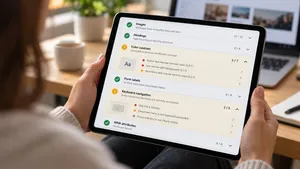
Vendors can write their own VPAT, but many buyers place more trust in reports prepared or reviewed by an independent accessibility specialist. A common approach is a third-party audit followed by a report written with the vendor's product team, who know the roadmap and can commit to fix dates.
A real program: 2,000+ page types for a large US education platform
One of the largest education technology companies in the US runs a portal used by public schools and universities across the country. Its content spans more than 30 publisher journals and over 2,000 unique page types, each with its own layout, rich media, navigation and interactive components. Institutional buyers increasingly required a VPAT before purchase, and accessibility lawsuits were rising, with about 4,600 ADA filings in 2023 alone.
What the team did
A five-person .wrk team of frontend, backend and QA engineers ran the program end to end.
- Audit on the hardest pages first. An external accessibility partner audited a sample of the pages with the highest density and complexity of components, so the findings covered every component type.
- Automated and manual testing. axe DevTools categorized violations by severity and component, and manual testing with NVDA on Windows and VoiceOver on macOS covered the criteria that automated tools cannot detect.
- Component fixes and new components. Existing headings, lists, text elements and multimedia were updated to meet WCAG criteria, and new components were built to accessibility requirements from the start.
- More than 1,000 pages redesigned. Page appearance, navigation and accessibility tools were reworked across the library.
- An editorial framework. Content editors received templates and documentation that let them publish compliant pages without developer involvement.
- Ongoing monitoring. Automated accessibility checks continued after launch to catch new issues.
Results
The library reached WCAG 2.0 AA and WCAG 2.1 AA conformance, the VPAT documentation required by institutional buyers was completed, and the company opened procurement channels that had been closed to it. Because editors can now create compliant content on their own, new pages stay accessible without another development project. Read the EdTech accessibility case study.
Losing deals because a buyer asked for a VPAT? We audit your product, fix the issues and help you prepare an accessibility conformance report buyers can trust.
Explore QA and UX servicesWhat a VPAT costs
Costs depend on the size of the product, the number of platforms and how many issues need fixing before the report is published. These ranges reflect typical projects.
| Product | Audit and report | Typical timeline |
|---|---|---|
| Small web application with a few key flows | $5,000–$15,000 | 3–6 weeks |
| Mid-size SaaS product on web | $15,000–$40,000 | 6–10 weeks |
| Large platform, several apps or mobile included | $40,000 and more | 2–4 months |
Remediation is usually a separate budget. For a product built without accessibility in mind, fixing the issues can cost as much as the audit or more. For a product with good components and design practices, the fixes are often small.
Common VPAT mistakes
- Claiming Supports everywhere. Buyers test products, and an unrealistic report undermines the vendor's credibility.
- Using an old template or an outdated report. A report written for a version released three years ago tells a buyer little about today's product.
- Relying on automated scans only. Many criteria, such as meaningful focus order and screen reader announcements, need manual testing.
- Leaving remarks empty. Remarks are where the buyer learns what works, what does not and when it will be fixed.
- Forgetting documentation and support. Help pages, PDFs and support channels are part of the product and appear in the report.
Frequently asked questions
What does VPAT stand for?
VPAT stands for Voluntary Product Accessibility Template. It is a document format published by the Information Technology Industry Council that vendors use to report how their product conforms to accessibility standards.
What is the difference between a VPAT and an ACR?
The VPAT is the blank template. Once a vendor completes it with test results and remarks for a specific product, the finished document is called an Accessibility Conformance Report, or ACR.
Is a VPAT a certification?
No. A VPAT is a self-reported description of how a product meets accessibility standards. It can be prepared or reviewed by an independent specialist, but no official body certifies it.
Which VPAT edition should I use?
Use the 508 edition for US federal buyers, the EU edition for European public sector buyers, the WCAG edition for buyers who reference WCAG directly and the INT edition if you sell in several of these markets.
How long does it take to get a VPAT?
A small web application can be audited and documented in three to six weeks. Larger products, or products that need significant fixes first, usually take two to four months.
To sum up
A VPAT is the document that tells buyers how accessible your software really is, criterion by criterion. A credible one rests on automated, manual and screen reader testing, honest remarks and fixes made before publishing, and it is updated with every major release.
.wrk helps software companies in the US and Europe audit, fix and document accessibility, from component-level fixes to large content libraries that need to meet WCAG and procurement requirements.
Need a VPAT for an upcoming deal? Tell us about your product and deadline, and we will propose an audit, a fix plan and a timeline.
Explore QA and UX services